Payments
Getting approved for online payments
Once you have a payment gateway account, you can take cards as well as cash on delivery. This guide covers the documents gateways want, the pages your website needs and how to turn cards on in your store.
Many of your buyers will keep paying cash on delivery, and that is fine. But some would rather pay by card, especially for bigger orders, gifts sent to someone else and repeat orders from buyers who already trust you. And a paid order cannot be refused at the door.
To take card payments you need an account with a payment gateway. Opening one takes some paperwork and a website that passes the gateway's checks. Most of the time goes on gathering documents, so start there.
Why offer cards as well as cash on delivery
- No refused parcels on paid orders. You still handle returns, but you are not paying for parcels that come back unopened.
- Money arrives without waiting on the courier. Card money reaches your bank on the gateway's schedule, not whenever the courier pays out COD.
- Some buyers only shop where they can pay online. Overseas Pakistanis sending gifts home, and buyers who rarely keep cash in the house, look for a card option.
- New buyers trust it more. A first-time buyer who sees a card option, your policies and a phone number is more likely to order.
Keep cash on delivery for buyers who want it, and add cards to the same checkout.
What a payment gateway does
A payment gateway is the company that takes the card details on your checkout, checks the payment with the buyer's bank and sends the money to your bank account, minus its fee. Gateways in Pakistan follow State Bank of Pakistan rules, so they check who you are and what you sell before you can take real payments.
We use Safepay as the example here: it publishes its requirements openly, and it is the gateway devhelp connects to today. Other gateways ask for similar things; check each one's current list before you apply.
The documents you will need
Safepay accepts sole proprietors (registered or unregistered), small businesses, freelancers, partnerships and companies. The documents depend on how your business is set up.
| Business type | Documents |
|---|---|
| Sole proprietor, small business or freelancer | CNIC or passport; bank account maintenance certificate; taxpayer registration certificate |
| Partnership | CNICs or passports of the partners; bank account maintenance certificate; taxpayer registration certificate; partnership deed |
| Private limited company | Certificate of incorporation; Form I or Form A; CNICs or passports; bank account maintenance certificate; taxpayer registration certificate |
Sole proprietor, partnership or company?
Most small brands start as sole proprietors. The business is you, the bank account is a sole proprietor account in your name, and you have the fewest documents to collect, so it is usually the quickest way to start taking cards.
If two or more people own the brand together, a partnership deed sets out who owns what, and the gateway will ask for it along with every partner's CNIC. A private limited company takes longer to set up, but it keeps the business separate from you personally, and the gateway then asks for the company's incorporation documents. Apply as the business is set up today. If that changes later, you can update your gateway account.
Dear Branch Manager,
Please issue a bank account maintenance certificate for account number ending 4821, titled Noor Threads, for submission to our payment gateway.
It needs to be less than four weeks old when we submit it. Please let us know when it is ready to collect.
Thank you.
The bank account must match your business
The account your payments go to must be in the same name as the business on your application: a sole proprietor account in the owner's name, a partnership account in the partnership's name, or a company account in the company's name. Safepay also wants the bank account maintenance certificate to be less than four weeks old when you submit your documents, so ask your bank for it just before you apply.
What the application form asks
The onboarding form also asks about the business: its legal name, how it is registered, how long it has been running, where your customers are and how you deliver. You will need email addresses for general queries, customer support and disputes. It also asks for your expected number of transactions and their typical, smallest and largest values, and for the CNICs of anyone who owns 10% or more of the business or has significant control over it.
What your website must show
Gateways review your website as part of approval. Safepay says this is a State Bank of Pakistan requirement, and its checklist is worth following even if you use another gateway:
Safepay's website checklist, in short
- Contact information: your business address, email and phone number, where buyers can easily see them
- Terms and conditions for using the website, easy to find
- A privacy policy that explains how you collect and use personal data
- How buyers can raise a complaint
- Shipping and cancellation conditions, for local and international orders if you ship abroad
- Refund, returns and exchange conditions, including how long a refund takes
- Clear product descriptions, prices and currency
- Photos of the goods you actually sell, not stock images
- Every page and link working
On a devhelp store, you start with About, Contact, FAQ, Shipping policy and Refund and returns policy pages written for you as drafts. Edit them to match how your business works, add your own terms and privacy pages with the page editor, publish them and link them from your footer menu. Then put your contact email and phone where buyers can see them, and replace any sample images with photos of your own products.
If you have not put your policies together yet, your launch checklist walks through each page a new store needs.
What it costs, and how refunds work
| Transaction | Fee |
|---|---|
| Domestic card payment | 2.9% + Rs 30, excluding tax |
| International card payment | 3.2% + Rs 30, excluding tax |
| Yearly fee or minimum balance | None |
On a Rs 5,000 order paid with a Pakistani card, that works out at Rs 145 plus Rs 30, so Rs 175 before tax. Now compare that with a cash on delivery order, once you add the COD fee, the wait for payout and the chance of a refused parcel. what one delivered COD order really costs shows how to work it out.
You can refund a card payment in full or in part, up to the original amount. Safepay lets you refund from its dashboard within 60 days of the payment going through; it does not currently charge a fee for refunds, but the fee on the original payment is not returned. If Safepay has already paid the money out to you, it takes the refund out of your next payout.
Test mode and going live
Gateways give you two kinds of account. A sandbox or test account lets you try the checkout with test cards and no real money. A live account takes real payments, and that is the one that needs your documents and approval.
Open your account and submit documents
Sign up with the gateway, fill in the onboarding form and upload your documents through your live account.
Get your website ready while you wait
Publish your policies, contact details and real product photos so the website review passes first time.
Answer questions quickly
The gateway may email or call with questions about your business. Reply the same day if you can, because delays here hold up approval.
Connect your live keys to your store
Once you are approved, copy your live keys from the gateway's dashboard into your store and test a real payment with a small order.
Why applications slow down
Reviews take longest when something does not match: a bank account in a different name from the business, a certificate older than the gateway accepts, a website without a refund timeframe or contact details, or product photos that look like they came from a supplier's catalogue. Check each of these against the lists above before you submit.
Staying in good standing
Once you are approved, check the email address you gave for disputes every day, answer the gateway's questions promptly, and keep your policies and contact details published. If you start selling a new kind of product, or your order values change a lot from what you told the gateway, tell the gateway first, so the change does not get your payments held for review.
Card payments on your devhelp store
devhelp connects to Safepay using your own Safepay account. Card payments go straight from the buyer to your Safepay account and settle into your bank account on Safepay's schedule. devhelp never holds your money and takes no commission on your orders.
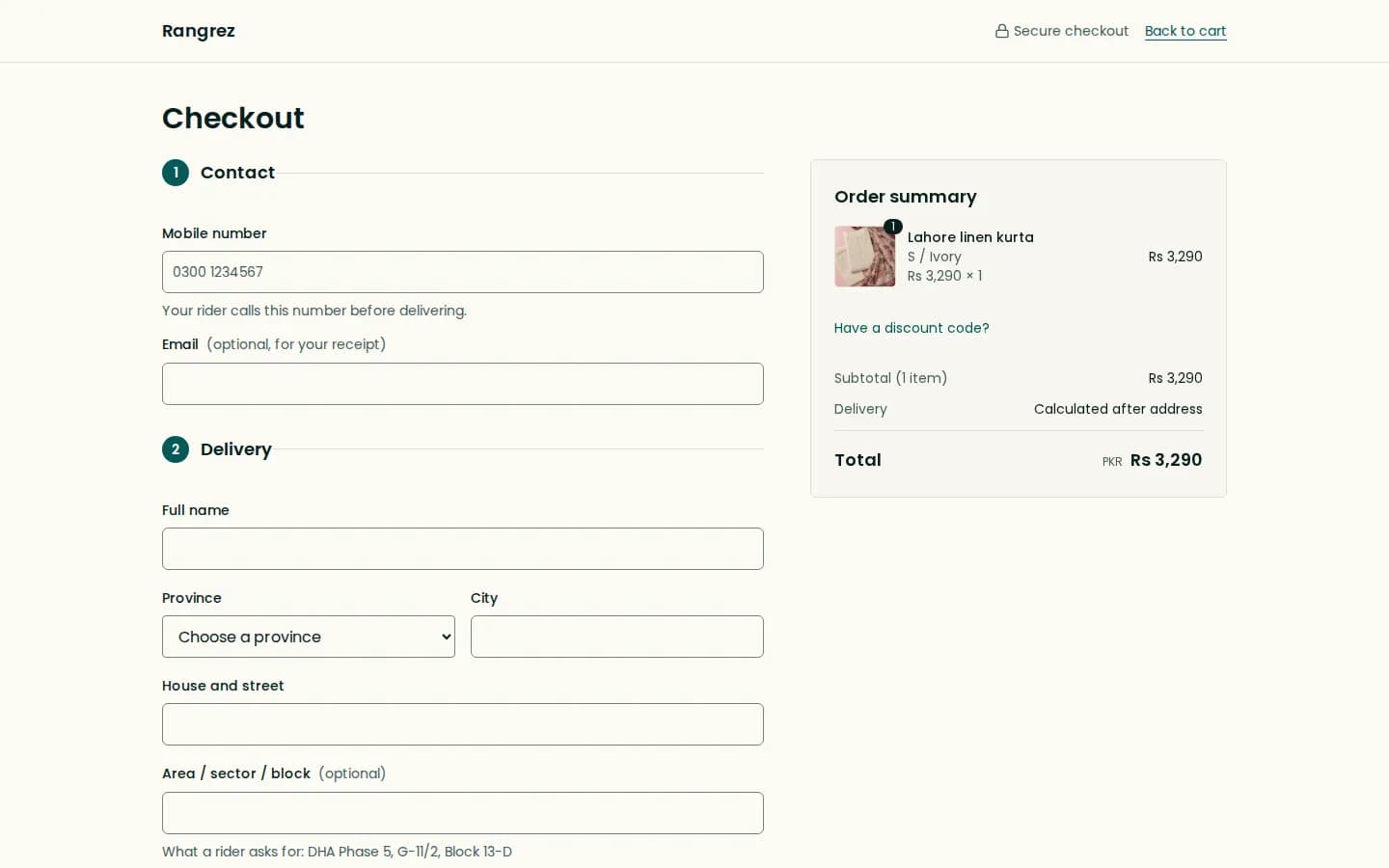
- Connect your keys. Add your Safepay keys in your store's payment settings. devhelp runs a connection test with those exact keys before card payments can be switched on.
- Cards in your checkout. Buyers type their card details into a Safepay card field inside your checkout. If that does not load, they can pay on Safepay's own payment page. Card numbers never reach devhelp.
- Cash on delivery stays. Buyers choose cash on delivery or card on the same checkout page.
- Refunds from the order. Open the order in your dashboard and refund it there; the money goes back to the buyer through Safepay.
What about JazzCash and Easypaisa?
Some buyers will ask to pay with a mobile wallet. Today a devhelp checkout offers cash on delivery and card payments through Safepay; it does not take JazzCash, Easypaisa or Raast payments directly. If a buyer asks, cash on delivery is the simplest alternative to offer.
Buyers with a debit or credit card, including the debit card that comes with most bank accounts, can use it at checkout instead. Mention the payment options you accept on your FAQ page, so buyers know before they reach checkout.
Common mistakes
- Applying with a bank account in a different name from the business on the application.
- Requesting the bank account maintenance certificate too early, so it is out of date by the time you submit.
- Having no refund policy, or one that does not say how long a refund takes.
- Using supplier or stock photos instead of photos of the goods you sell.
- Switching off cash on delivery as soon as cards are live, and losing the buyers who still prefer it.
Questions
Do I need a registered company to accept card payments?
No. Safepay, for one, accepts sole proprietors whether registered or not, as well as freelancers, partnerships and companies, with different documents for each.
Do I need an NTN?
Safepay lists a taxpayer registration certificate among the documents for every business type, so plan to have one before you apply.
How long does approval take?
Most businesses need one to two weeks to gather documents, according to Safepay, and its review then takes two to three business days.
How much does Safepay charge?
Safepay's published fees are 2.9% + Rs 30 for domestic cards and 3.2% + Rs 30 for international cards, excluding tax, with no yearly fee.
Does devhelp hold my card payments?
No. Payments go to your own Safepay account and settle to your bank account. devhelp does not hold your money or take a commission on orders.
Can buyers pay with JazzCash or Easypaisa on a devhelp store?
Not today. A devhelp checkout offers cash on delivery and card payments through Safepay.
Sources
- Safepay, List of documents you need to provide · accessed
- Safepay, What bank account to link to Safepay · accessed
- Safepay, Merchant onboarding form · accessed
- Safepay, Website checklist · accessed
- Safepay, Fee breakdown · accessed
- Safepay, How to refund payments · accessed